Text size
Line height
Text spacing

Course Navigation Guide
To make the most of the course experience, it is important that you properly navigate through the different modules and within each module as well. Please go through the information below to familiarize yourself with the new user experience.
1. Course Structure
This course has 4 modules. Each module is divided into sections, and each section consists of several units of content.
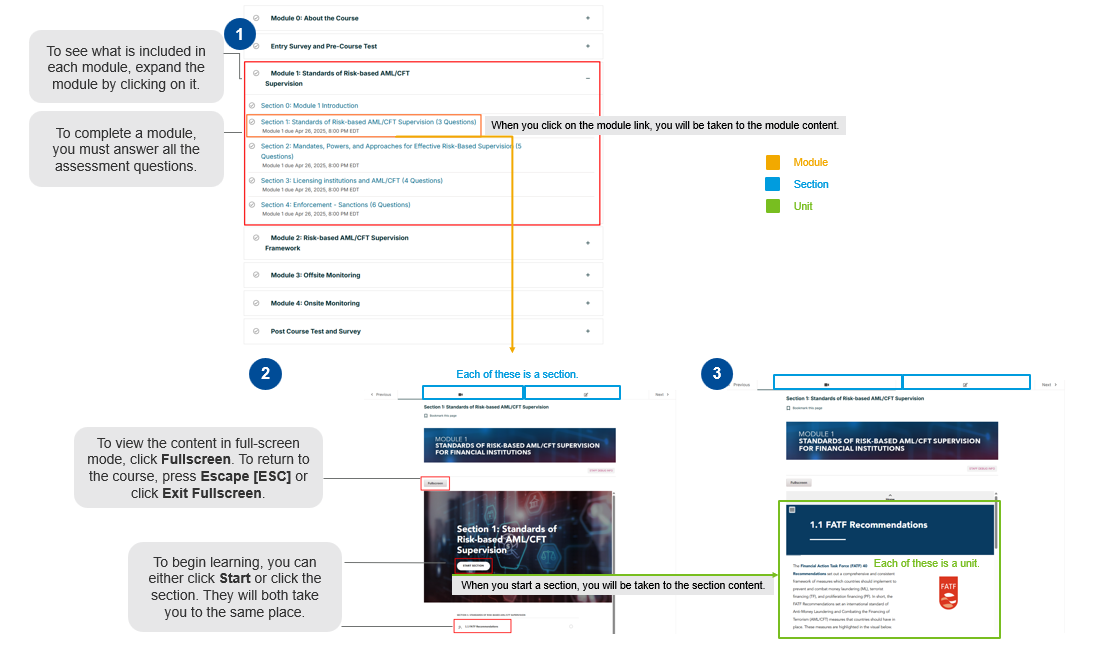
 Note: If you see a blank screen when you enter a section, do not worry. The sections may take a few seconds to load.
2. Section Navigation
To complete a section, you need to scroll through and complete all the units in that section. To navigate through the course content, you can: